Introducing Deck Apps
Interactive worlds need more than visuals. They need menus, tools, notifications, inventory, account flows, help panels, marketplaces, wallets, travel options, and custom interfaces that feel like they belong inside the experience.
That's why GEM includes Deck Apps.
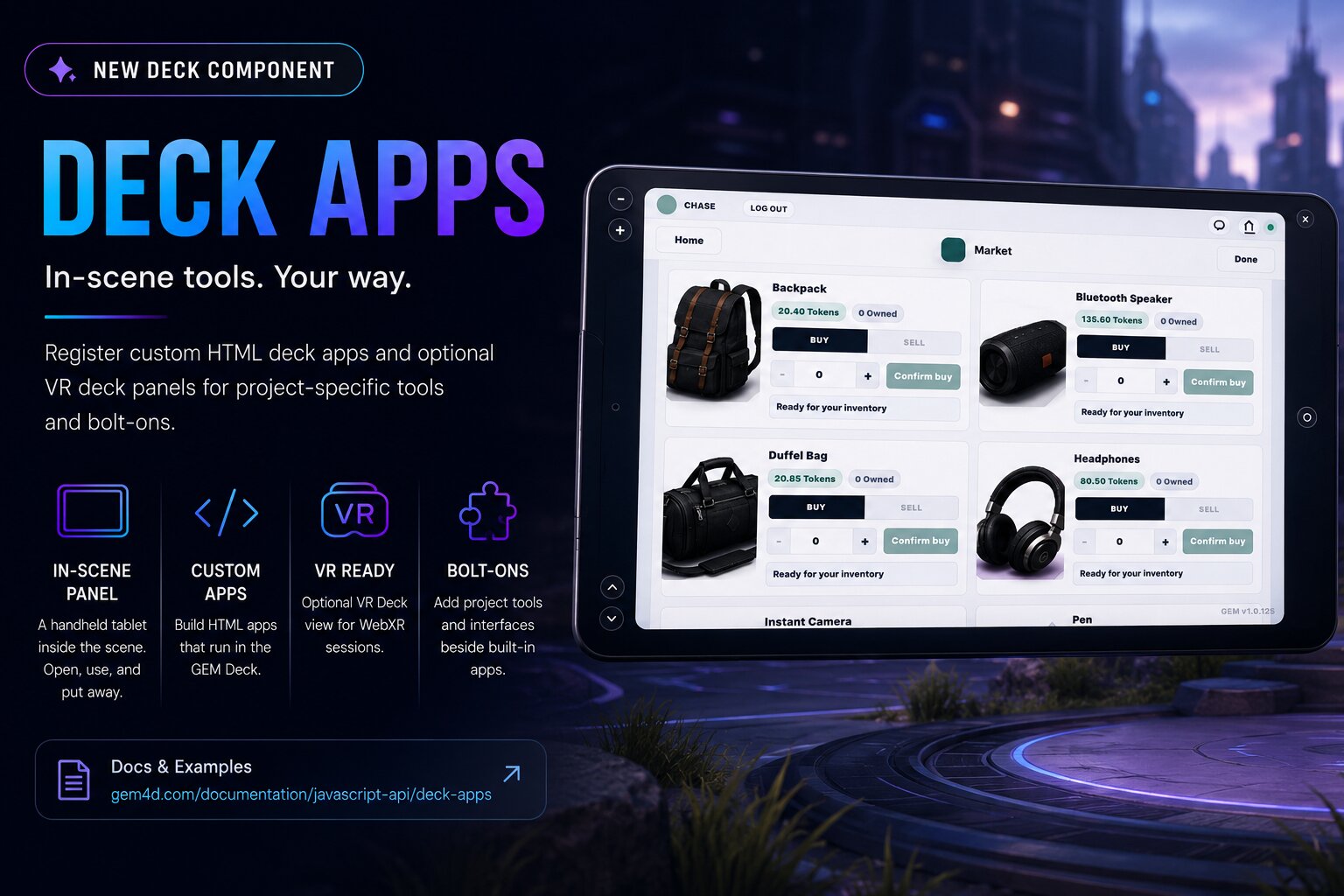
The GEM Deck is the in-scene player panel used for project apps, notifications, chat, authentication, and enabled bolt-ons. Think of it like a handheld tablet inside the scene: something a visitor can open, use, and put away without leaving the experience.
A Better Way to Add Project Tools
Every interactive experience is different. One project may need inventory. Another may need a wallet, marketplace, travel menu, onboarding guide, help center, or custom control panel.
Deck Apps let creators register custom HTML interfaces beside built-in GEM tools. Instead of sending visitors back to a website page, project tools can live directly inside the runtime.
The experience stays focused, and the user remains inside the scene.
Built for Scene Context
Traditional website interfaces usually sit outside the experience. That works for normal pages, but immersive environments often need tools connected to what the visitor is doing in the scene.
A visitor may want to open inventory, check a wallet balance, buy or sell marketplace items, open a travel panel, follow onboarding steps, view help, or use a tool tied to the current scene.
These are runtime tools that belong inside the world.
Browser and VR Support
Deck Apps can render inside the browser Deck, giving users a familiar panel interface while they interact with the scene. They can also provide an optional VR Deck view for WebXR sessions.
Visitors may enter from a normal browser or through VR. GEM's Deck system supports both paths while keeping project tools connected to the experience.
Perfect for Bolt-Ons
Deck Apps also work well for GEM bolt-ons. A bolt-on may provide a feature, service, or system that needs a user-facing interface. Instead of building a disconnected page, the bolt-on can appear inside the Deck beside other enabled apps.
Examples include marketplace tools, wallet interfaces, transit or travel systems, creator utilities, help panels, account-aware flows, and project-specific controls.
As GEM grows, Deck Apps create a consistent way for new tools to become part of the scene experience.
When to Use a Deck App
Use a Deck App when the user needs to open a reusable interface while inside the scene. Good examples include inventory, wallets, marketplaces, travel menus, onboarding panels, project guides, account-aware flows, and small tools connected to the GEM runtime.
Use normal page UI when the interface belongs to the host website instead of the scene. Deck Apps are not meant to replace every page or dashboard. They are for tools that should feel native to the interactive world.
Keeping Users Inside the Experience
One of GEM's goals is reducing friction. If visitors have to leave the scene to manage inventory, read instructions, sign in, open a marketplace, or access a project tool, the experience starts to feel fragmented.
Deck Apps keep useful interfaces close without breaking immersion.
Open the Deck. Use the tool. Put it away. Keep exploring.
Building Beyond the Page
Deck Apps are another step toward GEM's larger vision: websites that feel less like static pages and more like living systems.
As projects become more interactive, the tools around them need to become more interactive too. Deck Apps bring inventory, commerce, travel, onboarding, support, and custom workflows directly into the runtime.
The web experience stays connected. The scene stays active. And the tools become part of the world.
Learn more in the Deck Apps documentation.